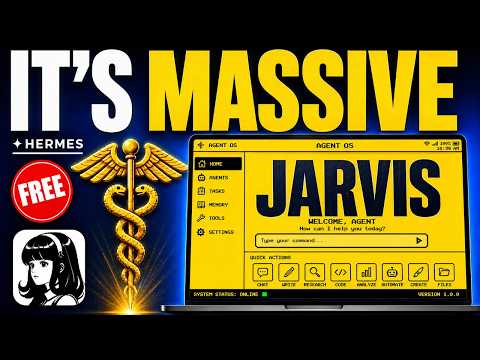
What Hermes AI Voice Agent Is and How It Works
Hermes AI voice agent is a self-hosted AI agent that lives on your computer and now includes a voice mode. Unlike a typical chatbot, it does not just answer questions. It remembers your projects, preferences, and workflows across every session.
When you press one button, it listens through your microphone. A live audio bar shows it is picking up your voice. When you stop speaking, it detects the silence and starts processing within three seconds using a frontier reasoning model. Then it speaks the answer back to you.
The whole loop feels natural, with no lag or robotic pauses. You never need to type. The agent can call tools, inspect files, run multi-step workflows, and pick up where you left off from a previous session because it remembers everything.
Main Features of the Hermes Voice Mode
The voice mode has several key features that set it apart from other voice assistants.
- Push to talk: Press one button, speak, and get a spoken response. There is no need to type.
- Persistent memory: It remembers your projects and preferences across sessions, so every use builds on the last.
- Model agnostic: You choose the brain inside it. You can use Minimax M3, Grok, Claude, GPT, or others.
- Local or cloud voice: Run it free with local tools or plug in Eleven Labs for premium quality output.
- Multi-channel support: Send voice messages through Telegram, Discord, or WhatsApp.
- Outbound calls: The agent can call someone on your behalf and even send follow-up emails during the call.
The official docs recommend pairing Eleven Labs with Whisper for the best output quality. This setup sounds remarkably natural and works well for customer-facing products.
How to Set Up Hermes Voice Agent Step by Step
Setting up Hermes voice agent is straightforward. Here is the process shown in the episode.
- Install Hermes: Download the software and install it on your own machine. It runs locally, so your data stays on your hardware.
- Choose your model: Select the brain you want. For voice, Minimax M3 is recommended for speed and natural flow. Grok works if you need live search access.
- Configure the voice layer: You can start with free local tools for a solid result. For premium quality, plug in Eleven Labs for text-to-speech and Whisper for transcription.
- Connect your channels: Link Telegram, Discord, or WhatsApp if you want to use voice messages from your phone.
- Set up the agent OS: If you want a full system, get the AI Profit Boardroom agent OS zip file. It includes the studio, chat, voice agent, workspace, and session history all in one dashboard.
- Start talking: Press the voice button, speak your request, and let the agent process and respond. It saves everything to your workspace automatically.
After setup, you can follow a 30-day roadmap inside the boardroom to integrate voice into your business workflows.
How to Use Hermes Voice for Real Work
In the episode, Julian walks through several practical examples. You can use Hermes voice to plan content, capture ideas, train teams, or handle customer questions.
For content planning, tap the voice button and say something like, "Draft me a seven-day onboarding sequence for new members." The agent thinks, uses tools, drafts the sequence, and speaks the summary back. You do not type a word. The sequence is saved in your workspace.
For operational checks on the move, send a voice message through Telegram to ask how a project is performing. The agent pulls context from memory and tells you without a laptop.
For idea capture in the car, tap, speak, and it transcribes the idea, stores it in your Obsidian vault or notes, and tags it. It is ready when you get back.
For sales training, build a custom voice agent that knows your sales SOPs, scripts, and objection handling. Your team can practice conversations with it like a real prospect.
For customer-facing use, embed a voice agent on your website. It knows your offer and FAQs, and handles conversations 24/7.
Results, Tests, and Comparisons From the Episode
Julian compares Hermes voice mode to other voice assistants like Siri and Google Assistant. He says Siri answers trivia and Google Assistant plays music, but they are not connected to a full agent runtime.
He also compares it to newer AI voice modes from ChatGPT, calling them "smart chat boxes with microphones attached." Hermes is different because it can trigger agents that do work, not just answer questions.
A developer named Matt tested Hermes with Twilio, Vapi, and Eleven Labs. He confirmed it can call someone, set up an allowed callers list, and even email during a call.
Technium, the team behind Hermes, confirmed the outbound calling feature when Eleven Labs integrated with Hermes.
The episode notes that the real-time conversation mode with zero latency is still in development. The current push-to-talk mode is already capable, but the live interrupt-capable mode is coming next.
Tips, Limits, and Mistakes to Avoid
Here are some practical tips and warnings from the episode.
- Use the right model: For voice speed, Minimax M3 is best right now. Grok is better if you need real-time information. Choose based on your task.
- Pair with Eleven Labs for quality: Local tools work, but Eleven Labs plus Whisper is the recommended setup for the most natural voice output.
- Do not expect zero latency yet: The current mode is push-to-talk with fast processing. The live real-time conversation mode is still being developed.
- Set up an allowed callers list: If you use outbound calls, configure the list to control who the agent can call.
- Use the workspace: Save and search past work. You do not need to start from scratch every time.
- Avoid losing context: Hermes remembers everything, so you can build on previous sessions. Do not treat it like a disposable tool.
The biggest mistake is treating Hermes like a simple voice assistant. It is a full agent system. Use it for real work, not just trivia.
Who Should Use Hermes Voice Agent and Why It Matters
Hermes voice agent is for anyone who wants to automate repetitive business tasks without being tied to a desk. It is especially useful for content creators, community managers, sales teams, and business owners.
You can handle operational checks, capture ideas on the go, train sales teams, and provide customer support with a voice agent that sounds human.
Because it is open source, no company can shut it down or change pricing. Your data stays on your machine, and the community is constantly improving it.
Julian notes that 2026 is being called the year of voice AI. People with a system like this will have a serious advantage. The gap between those who use it and those who do not is already visible.
Inside the AI Profit Boardroom, over 3200 members are already running Hermes with voice. The full agent OS setup is ready to install, and a 30-day roadmap shows you how to use it for real workflows from day one.