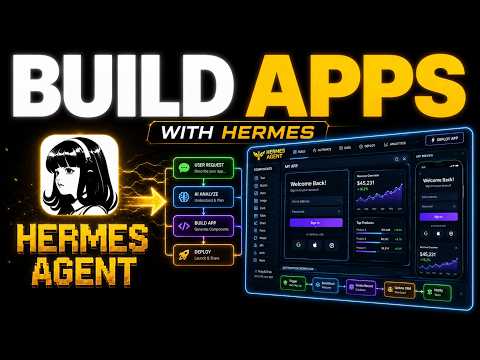
01What Is Hermes Agent Web UI and How It Works
Hermes Agent Web UI is a browser-based dashboard that lets you control AI agents without using the terminal. Instead of typing scary commands, you open it in your web browser and see all your agents in a clean, simple interface.
The web UI connects to your AI agents and shows them as profiles. Each agent is like a little AI worker that specializes in one thing, like SEO, writing, or building apps. You click an agent to chat with it, give it a job, and watch it complete tasks right on the screen.
You can run this web UI inside a system like Agent OS, which acts as a control room for all your AI agents. Everything lives in one spot: the agents, the boards, the memory, and the apps you build.
02Main Features of the New Web UI
The new web UI replaces the old terminal-based workflow with a visual dashboard. Here are the main features shown in the episode:
- Clean dashboard – See all your agents, what they're doing, and what jobs are waiting.
- One-click switching – Move between agents like SEO, writer, or app builder instantly.
- Board view – See the status of every job: waiting, in progress, or done.
- Memory – Agents save notes automatically, so you can revisit past work.
- Team coordination – Multiple agents work together on the same project.
- Beginner-friendly – No code or terminal knowledge needed.
These features make it easy to manage a whole AI team from one screen, just like a boss in a control room.
03How to Set Up Hermes Agent Web UI
Setting up Hermes Agent Web UI is designed to be simple for non-technical users. Here is the process shown in the episode:
- Download the Agent OS zip file from the AI Profit Boardroom (link in the description).
- Extract and install the zip file on your computer.
- Follow the readme file so your agents can help with the installation if needed.
- Open the web UI in your browser.
- Start adding agents or use the pre-built ones.
That's it. You don't need to write code or understand the terminal. The web UI is already set up to work out of the box.
04How to Use It: Real Examples from the Episode
In the episode, the host gives a real example. He wants to grow his community, the AI Profit Boardroom. He opens the web UI and types: “Write me a blog post about how AI automation helps small businesses get more customers and make it rank on Google.”
That's one sentence. The agent goes off and does the work. You can watch it thinking, writing, and finishing on the dashboard.
Another example: build a simple tool that helps beginners start with AI. You hit the go button, and multiple agents work together while you do something else. The web UI shows the whole process from idea to done.
You can also set up a content team. One agent finds topics people are searching for, another writes posts, and another optimizes them for Google. They all run together daily from one screen.
05Results and Comparisons from the Episode
The episode compares the old way with the new way. The old way meant opening a scary terminal, typing commands you didn't understand, getting errors, and giving up. Ideas often died in notes apps.
The new way is different. You open your browser, see a clean dashboard, click an agent, type one sentence, and it builds. That's the whole difference.
The host also shows that the same setup can build full apps, playable video games, and other tools in one click. He has used it for fun to show how powerful it is.
This before-and-after shows why more people can now use AI agents effectively.
06Tips, Limits, and Mistakes to Avoid
The main tip from the episode is: don't try to do everything at once. Start small. Pick one thing today, like setting up one agent.
Tomorrow, add another. This keeps things manageable.
A common mistake is not using the board. The board keeps track of every job, so nothing gets lost. Drop every idea into the board, and an agent will pick it up.
Another tip: rely on the memory feature. Agents save everything automatically, so you can always come back and see what you made. This prevents losing your work.
One limit is that you still need to install the system on your own computer, but that's a simple zip download.
07Who It Is For and Why It Matters
Hermes Agent Web UI is for anyone who wants to use AI agents but feels intimidated by technical tools. It's perfect for beginners who want to automate business tasks without coding.
It matters because it lowers the barrier. More people can now build tools, content, and even games with AI. You become the boss, and the agents become your workers.
This is especially useful for community builders, small business owners, and content creators who want to scale their output.