01What is the Hermes Agent Update 0.16?
The Hermes Agent update is a new version of the free, open-source AI agent called Hermes. The creators call it version 0.16, also known as the Surface Release. This update changes how you use the agent completely by adding a desktop app and many new features.
In this episode, Julian Goldie explains that this update is a big deal because it makes the agent much easier to use. It moves Hermes from a slow, old way of working to a new system where you can see and control everything from one screen, often using Agent OS as a dashboard.
02Main Features of the New Hermes Agent 0.16
The new update brings a real desktop app that you can install with one click on Mac, Windows, and Linux. This is a huge change from running things in a code window. The app sets itself up in about a minute on the first launch.
There are several other key new features in this release.
- New desktop app: A one-click installer for Mac, Windows, and Linux.
- Skill upgrades: A new catalog to browse, preview, and install skills from multiple hubs like GitHub in one click.
- Skill safety check: A built-in scan that gives a clear verdict on a skill before you install it.
- Color-coded trust tiers: Every skill is labeled as trusted, built-in, or from the community.
- New free models: Two new models, Nemotron 3 Ultra and Step 3.7 Flash, are available for free through the built-in portal.
03How to Get Started with the Hermes Update
Getting started with the new update is simple. The first step is to make sure you have actually updated your Hermes agent, as many people skip this and then wonder why they don't see new features.
- Open the manage area for your Hermes agent.
- Hit the update button right there to install version 0.16.
- Once the update is done, all the new features will wake up.
- Grab the Hermes desktop installer for your Mac, Windows, or Linux computer and open it.
- On the first launch, let it set itself up for about a minute.
- Walk through the steps to connect the portal so you can use the free models right away.
04Using Skills with the Surface Release
Julian explains that using skills is now much safer and easier. The old way was a guessing game with a blank box and an install button, which made people avoid the skills tab. Now you can browse skills from different hubs all in one view.
He looks at it in four simple layers. First is the catalog, where you search and preview skills. You can read the instruction file for any skill before installing it.
Second is the scan, where you run a quick safety check that tells you if it's worth installing. Third is the tier, which uses color coding to show if a skill is trusted, built-in, or from the community. Fourth is the install, which is just one click.
He also shows a skill search in action. He typed in “social media” and a stack of skills appeared that he could install. He hit install on the one he wanted, and it pulled it in from an outside source, all quickly and cleanly.
05New Free Models and Voice Control
There are two new free AI models inside Hermes. They are called Nemotron 3 Ultra and Step 3.7 Flash. To use them, you go into your models settings, scroll to the portal, and pick the free one.
You don't need to set up your own API keys just to get started.
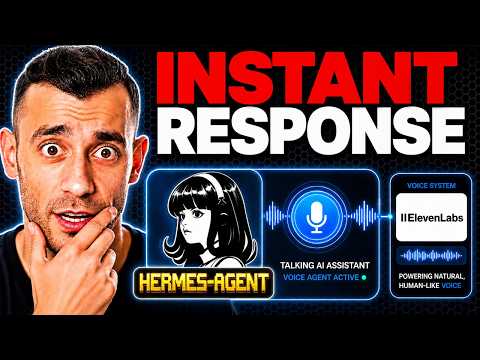
The episode also shows a voice setup Julian calls his Hermes Jarvis. He talks to the agent out loud and it talks back and does real jobs. He told it to open Google, and it did.
He told it to schedule a nap at 3pm, and it appeared on his calendar.
This is possible because of new computer skills that let the agent control the computer using your voice, all from inside Agent OS. Julian describes this as the future finally showing up.
06A Warning About Installing Too Many Skills
Julian gives an honest warning about installing skills. Just because you can install 100 skills doesn't mean you should. If you stuff your agent full of skills, it can actually slow down.
The agent might get confused about which skill to use for a task.
He recommends keeping it simple and only keeping the skills you actually use. Less is more in this case. The good news is that inside Agent OS, you can search your skills, switch them off, and clean them up whenever you want.
He also stresses the importance of checking a skill before you install it. The safety scan can block an install if something looks off. But you should still open the instruction file and read what the skill is telling your agent to do.
He says 30 seconds of reading saves you a giant headache later.
07Who Should Use This Hermes Update
This update is for anyone who wants to use AI agents but has been put off by the technical setup. Julian says most people never get past the setup stage. They install one thing, get confused, and quit.
The whole point of the Surface Release is to knock down that wall.
It is also useful for business owners who want to automate boring jobs like writing follow-up emails or sorting customer questions. With the new voice control, you can sit with your coffee and ask the agent to pull up a list and draft a welcome message while you sip.
You don't need deep tech skills. The desktop installer is simple, and the connection to the portal for free models is guided. It's designed so anyone can get it running and start using it from one clean screen, like the Agent OS dashboard Julian uses.