What Is an Agent Operating System?
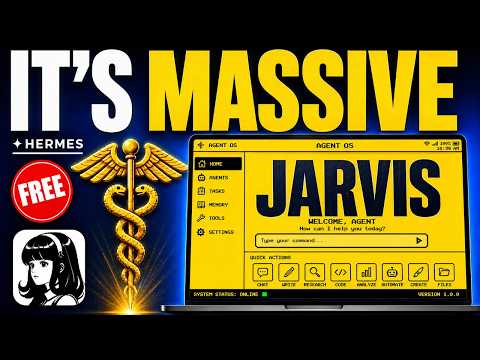
An agent operating system is a dashboard that runs one AI agent to do all your SEO tasks in one place. It writes blogs, makes videos, ranks you on Google, and gets you cited in AI search. In this episode, Julian Goldie shows how this free system replaced his entire SEO team.
The operating system connects tools like keyword research, content creation, and email outreach into one screen. It works with a memory system based on an Obsidian vault, which is a folder of notes about your business. This way, the agent knows your brand and makes content that fits you.
Main Features of the Agent Operating System
The agent operating system has several key features that replace a whole team. First, there is a dashboard where you see everything: your SEO content, keywords, videos, images, and skills. You don't switch between five tabs or contractors anymore.
- Goal mode lets you give a goal and the agent works on it alone for up to 20 turns until it’s done.
- A Kanban board shows a team of agents working together. You drop a one-liner like “rank number one for best AI automation community” and the agents draft, make visuals, and publish.
- Email agent does link building. It has its own inbox and can reach out to five websites a day, asking for backlinks and following up daily.
- Fast indexing via a tool called Index All: this pushes your content to Google quickly, which helps you rank in days.
- Memory stores your case studies, ideas, and brand voice. Every agent shares this memory, so content sounds like you and doesn’t repeat.
How to Set Up the Agent Operating System
Setting up the agent operating system is easy, even if you’re not technical. Julian says the zip file means you just install it. Here are the steps he showed:
- Get the agent OS zip file from the AI Profit Boardroom. It’s ready to install.
- Set up your memory vault. Use Obsidian or a similar folder of notes about you, your business, and your websites.
- Install the agent operating system on your dashboard and connect it to the memory vault.
- Add your API key for the Index All tool if you want fast indexing.
- Create your skills or workflows, like the Hyperframes skill for videos or the Notebook LM podcast skill.
- Start a goal or a prompt, and let the agent work.
How to Use the Agent Operating System for SEO
Using the agent operating system is simple. You start with keyword research. In the dashboard, you ask, “based on my Obsidian vault, what keywords would be good for AI SEO for the AI Profit Boardroom?” The agent gives you keywords you can actually rank for, not random guesses.
Next, you create content. In the SEO tab, you plug in a keyword and a case study, then hit deploy. It pushes a finished blog post to five different websites at once, all unique and formatted. You can also use goal mode: “write a complete pillar page about the best AI automation community, target the AI Profit Boardroom, show the value of AI automation, add schema, H2s, internal links, and hero images.” The agent writes the whole thing.
Then, you make visuals. In the studio tab, you can create images that rank in Google Images, videos using Hyperframes, and podcasts with Notebook LM. All from one keyword and one screen.
Results and Proof from the Episode
Julian showed real results from the agent operating system. He took one website from three clicks a day to around 180 clicks a day after running the system. The traffic line goes up and up.
He also ranked number one and number two for the same keyword with two different websites, both in under 48 hours. The system also got them into Perplexity and Google AI Overviews at the top of the answer. The AI literally points people to them.
These results come from combining content creation, fast indexing, and email outreach. The fast indexing part is key: the faster Google sees your page, the faster you rank.
Tips, Limits, and Mistakes to Avoid
Julian addresses common pushback. Some people say AI content doesn’t rank. He says Google dislikes low-quality content, but if it’s structured, sourced, original, and useful, Google likes it. The system has quality checks built in.
Another limit: posting everywhere can feel like too much work. But the operating system makes the content and the agents do the work. He says he can’t remember the last time he hired a virtual assistant.
One mistake to avoid is not using the draft gate for the email agent. Draft gate makes the agent write emails but not send them until you approve. This keeps you in control and avoids embarrassing mistakes.
Also, don’t skip fast indexing. Without it, you might rank slower. The secret setting is Index All, which pushes your content to Google fast.
Who the Agent Operating System Is For
The agent operating system is for anyone who wants to do SEO without a big team. It’s perfect for business owners, solo marketers, or content creators who want to rank on Google and AI search. Julian says he built it so even non-technical people can use it.
It matters because search has changed. Instead of aiming for the number one spot, you now want to be the source the AI quotes. The agent operating system helps you win that citation by showing up everywhere for one topic.
It also saves time and money. You replace a keyword tool, writer, designer, editor, and project manager with one agent. The more you use it, the better it gets because it learns from your memory.
How to Get the Agent Operating System
If you want the full setup, you can get the actual agent operating system inside the AI Profit Boardroom. Julian says it’s not just a video walkthrough; it’s the real tool. You get the complete agent OS zip file ready to install, plus his exact Hermes prompts and a full 30-day roadmap.
You also get weekly coaching calls and access to a community of over 3,000 people running this system daily. This lets you skip the building phase and go straight to ranking.
If you want extra help, Julian’s team at Goldie Agency can review your website and show you how to rank higher on Google. You can book a free SEO strategy session through the link in the comments or description.