01What Is an Antigravity Agent OS SEO System?
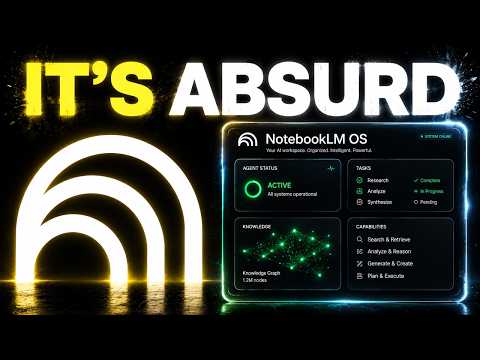
An Antigravity Agent OS SEO system combines Google's Antigravity 2.0 agent platform with a dashboard called Agent OS. It builds SEO content for you on autopilot. You give one prompt, and it writes blog posts, builds landing pages, and creates images.
Most people use Antigravity like a chat box: type, get an answer, drop it. That wastes its power. Agent OS fixes that by wrapping the Antigravity CLI inside a clean command center.
You launch jobs, track progress, and see results all in one place.
In this episode, Julian Goldie shows how he built this system. It uses memory and a loop to make content better every time. The result is a full SEO workflow that runs with one click.
02Key Features of Antigravity 2.0 and Agent OS
Antigravity 2.0 is Google's most advanced agent platform. It includes Gemini 3.5 Flash for faster outputs, coding, and images. It also has dynamic sub-agents that work together on one problem, plus scheduled tasks, projects, and live voice input.
Agent OS adds a dashboard on top. Instead of jumping between tabs, you see all your agents in one place. It tracks what they're working on and what they built.
You can launch new jobs with a single prompt.
Here are the main features that make the system work:
- One-click content creation for blogs and landing pages
- Memory vault using Obsidian for brand voice and keywords
- Kanban board to assign and track agent jobs
- The loop that improves content over time
03How to Set Up Your Antigravity Agent OS SEO System
Setting up is simpler than you think. Julian says if you can copy and paste a file path, you can run this. Follow these steps:
- Install the Antigravity CLI on your computer.
- Connect the CLI to Agent OS by adding Antigravity as an agent inside the dashboard.
- Install Obsidian and create a memory vault folder on your computer.
- Write down who you are, your team, goals, and brand voice in the vault.
- Add your best keywords and past winning blog posts to the vault.
- Tell Agent OS where the vault lives so agents can read and write to it.
That's it. Once set up, you can start creating content with one prompt.
04How to Use the System to Create SEO Content
Once your system is set up, using it is easy. Julian shows a real example: he told it to build a blog post about the AI profit boardroom. With just that prompt, the agent wrote the post, optimized it, and made it ready to publish.
He also asked for a landing page for the AI profit boardroom. The system built the whole website, made images, and put everything together. He got three things built in one day with one tool.
To use it: give a clear prompt like “write a blog post on [topic]” or “build a landing page for [product].” The agent pulls keywords from your memory vault and writes around them. It also matches the style of your past successful posts.
You can check the kanban board to see what each agent is doing. One does keyword research, one writes posts, one builds pages. You just review and publish.
05Results You Can Expect From This SEO System
Julian shows results from his own use. He built a full blog post, a landing page, and images all in one day. The content was not generic—it sounded like his brand because of the memory vault.
He compares two people using the same AI model. One uses Antigravity like a chat box. The other runs it inside Agent OS with memory and the loop.
Their results are not even close.
The system gets smarter over time. More outputs mean more context in the vault. That leads to better content next time.
It’s a flywheel that spins faster the longer you run it.
If you set it up today, the time you save starts today and stacks from there.
06Tips, Limits, and Mistakes to Avoid With This System
The biggest mistake is using Antigravity alone. Without memory, it forgets who you are each session. Without organization, you lose your work.
Without improvement, every session is like the first one.
Another mistake is skipping the loop. Most people start over with every prompt. That means no growth.
Always feed outputs back into the memory vault.
Here are practical tips:
- Use Obsidian for a private memory vault that is yours forever.
- Keep your best keywords in the vault so agents target them.
- Store past winning posts so the agent copies what worked.
- Use the kanban board to manage multiple agents at once.
- Remember the barrier is not tech knowledge—just follow the steps.
The new Antigravity removed the old editor view, so Agent OS gives you that organization back.
07Who Is This Antigravity Agent OS SEO System For?
This system is for anyone who creates content, even if you've never touched AI before. Julian says, “Anyone can do this.” You don't need technical skills. You just follow the setup steps.
It matters because most people underuse AI tools. They treat Antigravity like a simple chat box. This system turns it into a content machine that builds entire websites and blogs on autopilot.
If you're a business owner, marketer, or content creator, this saves hours. You stop starting from zero every time. Instead, the system grows smarter with each piece you create.
The key takeaway is the loop. That turns a simple tool into something 10 times more powerful. So if you only take one thing, take the loop.
08The Loop: How to Make Your SEO System Improve Itself
The loop is the most important part of the system. Most people start over with every prompt. Their AI is as dumb on day 100 as on day 1.
The loop fixes that.
Here's how it works: more outputs mean more context in your memory vault. More context means smarter agents. Smarter agents mean better content next time.
Better content means you can build even more.
Julian shows this in real life. The system got smarter on its own. Each new blog post learned from past winners.
It targeted the right keywords and matched the brand voice.
Set it up today and the loop starts working for you. No more starting from zero. Just keep feeding the vault.