01What Is Agent OS Claude Opus?
Agent OS Claude Opus is a custom operating system built entirely inside Claude, powered by Claude Opus 5.5. It gives you a mission control dashboard that brings your AI agents, news, SEO tracking, and content pipelines into one place.
Julian Goldie, CEO of Goldie Agency, built this system from scratch. He explains that since Claude Opus 5.5 launched on September 22, 2026, building with AI feels more fun and agents think better. The whole system feels more alive.
02Main Features of Agent OS
Agent OS includes several powerful features that work together as one brain. Here are the main ones Julian shows in this episode:
- Mission Control: A dashboard with a live AI news feed, your SEO network stats, idea pipelines, and a to-do section.
- Hermes: The main AI agent that can generate keyword ideas, content strategies, and manage tasks.
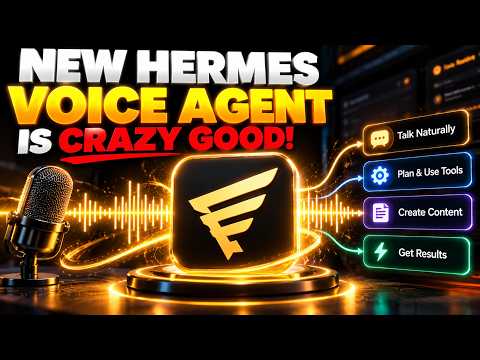
- Hermes Apollo: A voice agent built from scratch that lets you talk to your system and ask questions.
- Screen Share: Hermes Apollo can see your screen in real time and answer questions about what’s on it.
- Memory System: Links across all agents so context carries from one tool to another.
- SEO Tracker: Tracks posts, content created, and what’s queued up.
These features make it easy to run your whole business from one system without switching tabs.
03How to Set Up Agent OS
Julian explains the setup process inside the AI Profit Boardroom. There’s a 30-day roadmap, but here’s how to get started in the first few days:
- Install the Agent OS zip file to get Mission Control live.
- Connect Hermes and run your first keyword and content workflow.
- Connect Hermes Apollo, the voice agent, and start talking to your business.
- By the end of week one, your full Agent OS is running.
Inside the boardroom, you also get four live coaching calls every week where Julian and his team walk you through the setup and answer your questions. Nothing is vague—it’s step by step.
04How to Use Agent OS: Examples from the Episode
Julian shows several ways to use Agent OS. First, he types a request in Hermes: “give me keyword ideas we should be creating content around to bring more members into the AI profit boardroom.” Hermes pulls ideas, thinks about the audience, and gives useful results.
He also uses Hermes Apollo as a voice agent. He asks, “What keywords should we go after for SEO?” and Apollo asks if it’s for the AI profit boardroom or a client site—that shows how much context it has.
Then he uses the screen share feature. He shares his screen and asks, “What’s hot in AI right now?” Apollo looks at the dashboard, pulls the live newsfeed, and gives a breakdown on the spot. No switching tabs.
To connect a website built in Lovable or hosted on Netlify, Julian shares three steps: go to the agent that set up your OS, connect your hosting (Netlify access token or Lovable MCP), and tell the agent which site to manage. You get a tab in your dashboard to edit content and push updates.
05Results and Comparisons: Claude Opus 5.5 vs Before
Julian compares how the system works with Claude Opus 5.5 versus before. He says the designs are sharper, the agents think better, and the whole system feels more alive.
The memory system is a big upgrade. Before Opus 5.5, it worked okay. Now it works well.
The model holds context across longer sessions and doesn’t lose the thread when tasks get complex.
For example, if you tell Hermes once about a new module launch, that context is already there when you jump to the SEO tool or the ideas tracker. You don’t have to re-explain it.
Mike, a community member, added a smart upgrade: flip between Opus 5.5 for deep work, a lighter model for quick tasks, and switch categories like vision, coding, or chat models. That’s a real efficiency boost.
06Tips, Limits, and Mistakes to Avoid
Julian shares several tips and warnings. First, don’t skip the setup steps. Follow the 30-day roadmap so your system works correctly.
Second, use the memory system to your advantage. Tell Hermes things once, and it will remember across all tools. This saves time and prevents context loss.
Third, take advantage of the screen share feature—it’s not just a gimmick. Use it to get real-time answers about your dashboard or any screen.
One mistake to avoid: don’t try to manage sites from a separate CMS if you have Agent OS. Julian manages the AI Profit Boardroom site entirely from Mission Control—he tells Hermes what to change and it handles it.
Finally, if you want to translate the OS into another language, like German, Julian shows it takes about 10 minutes. Just drop the file into Claude Code and tell it to set everything up in that language.
07Who Is Agent OS For and Why It Matters
Agent OS is for business owners who want to stop jumping between 10 different tools and losing context. Julian says most people haven’t figured out how to run a system like this, so there’s a window of opportunity right now.
By using Agent OS, you put yourself ahead. You get a single brain that runs through all your tasks—content, SEO, ideas, and to-dos. It saves time, reduces errors, and helps you get more leads and clients.
Julian offers the full Agent OS zip file inside the AI Profit Boardroom, along with a prompt library, daily tutorials, and live coaching. If you’re not ready, you can join the free AI Success Lab for video notes and over 800 AI use cases.
Whether you’re a beginner or experienced, Agent OS gives you a way to automate your business with AI in a structured, effective way.